Know your ROI, not just your spend.
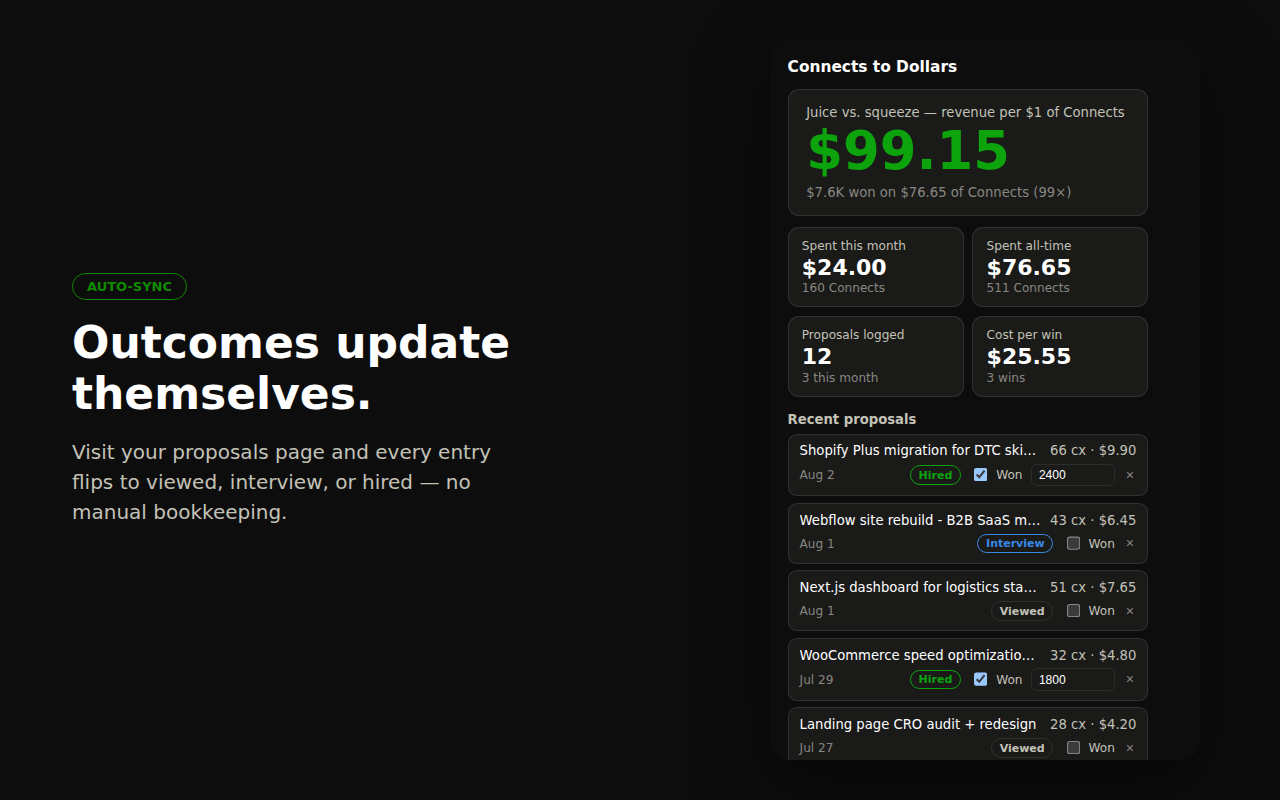
Every proposal you submit is logged automatically with its cost. The dashboard shows revenue per $1 of Connects, cost per win, and your monthly spend — the juice-vs-squeeze number at a glance.
A Chrome extension for freelancers and agencies that shows the real dollar cost of every Connect and tracks what your proposals actually earn.
Add to Chrome — Free
Every proposal you submit is logged automatically with its cost. The dashboard shows revenue per $1 of Connects, cost per win, and your monthly spend — the juice-vs-squeeze number at a glance.
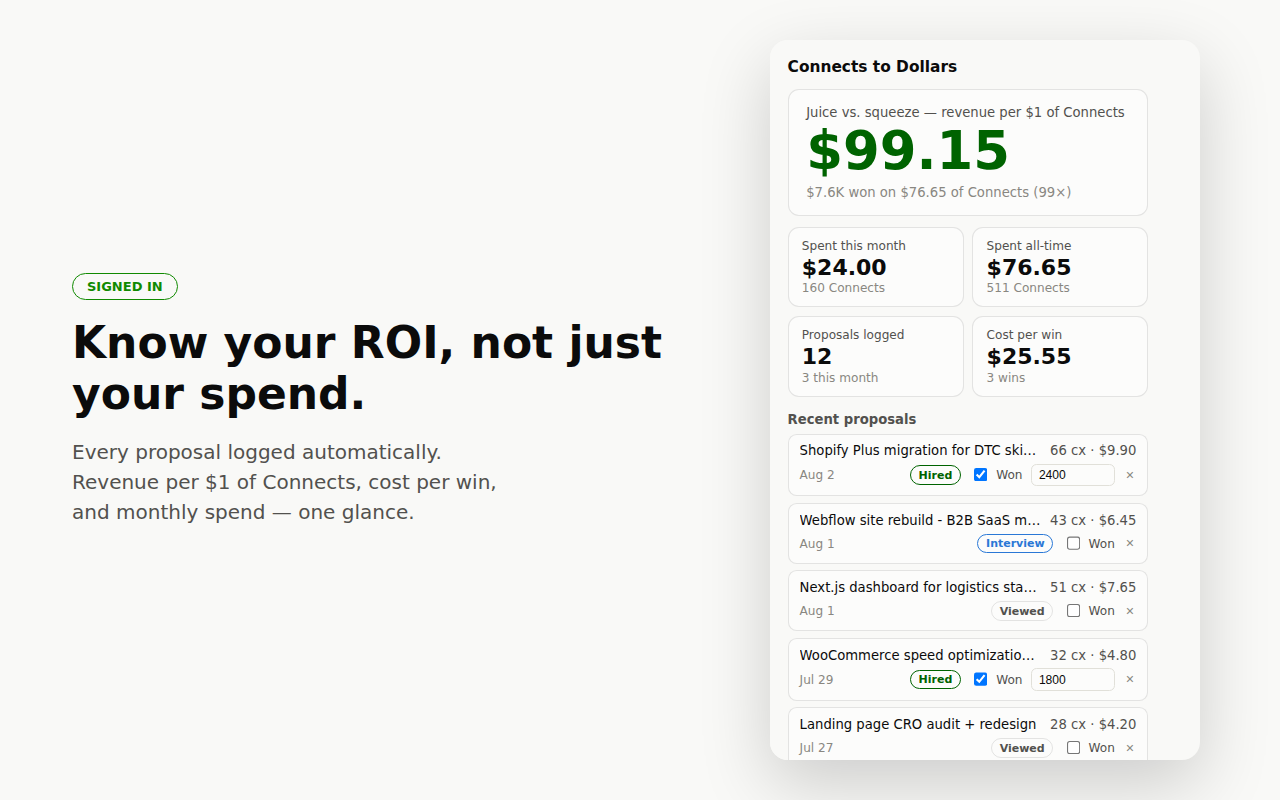
Flip each proposal to viewed, interview, or hired as it moves — one click on the badge. Mark the wins, enter what they paid, and your funnel and cost-per-win stay honest.
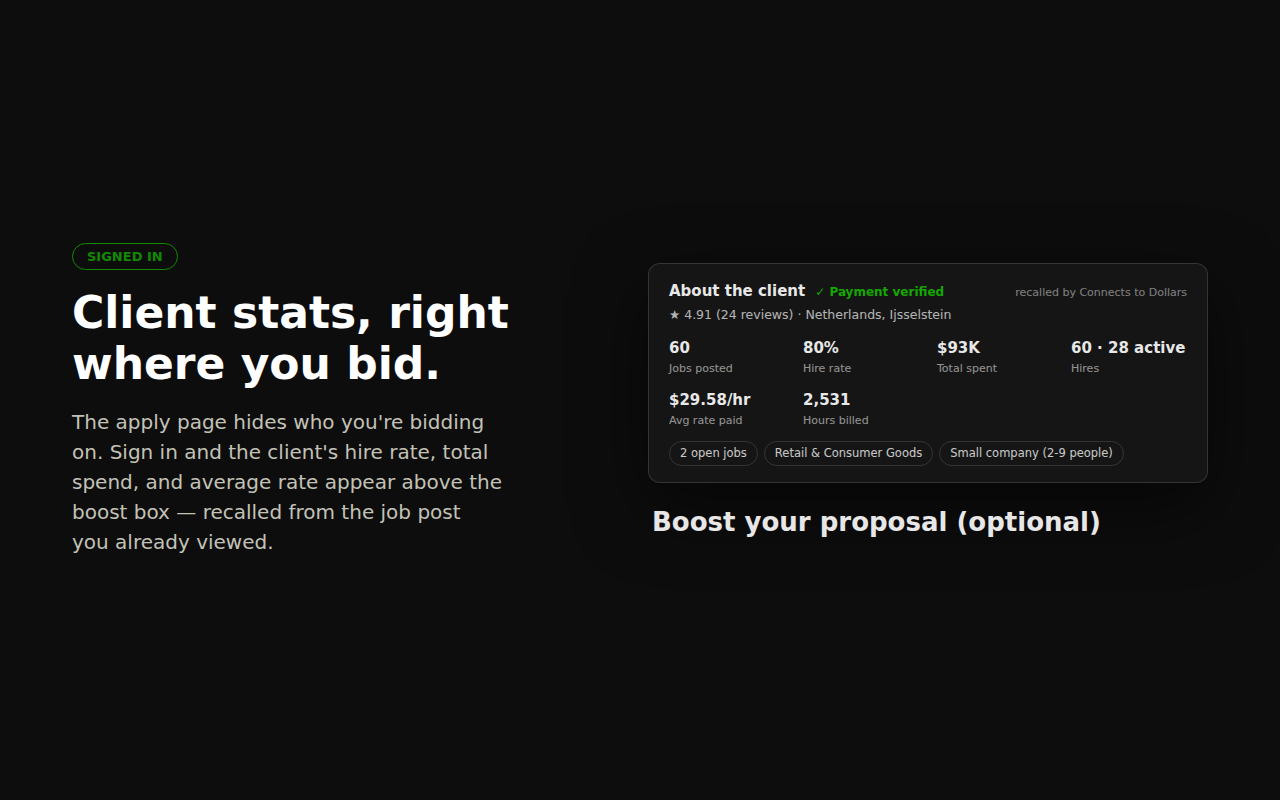
Upwork's apply page hides who you're bidding on. Signed in, the client's hire rate, total spend, and average rate appear right above the boost box — recalled from the job post you already viewed. Know if the fish is worth the bait before you spend.
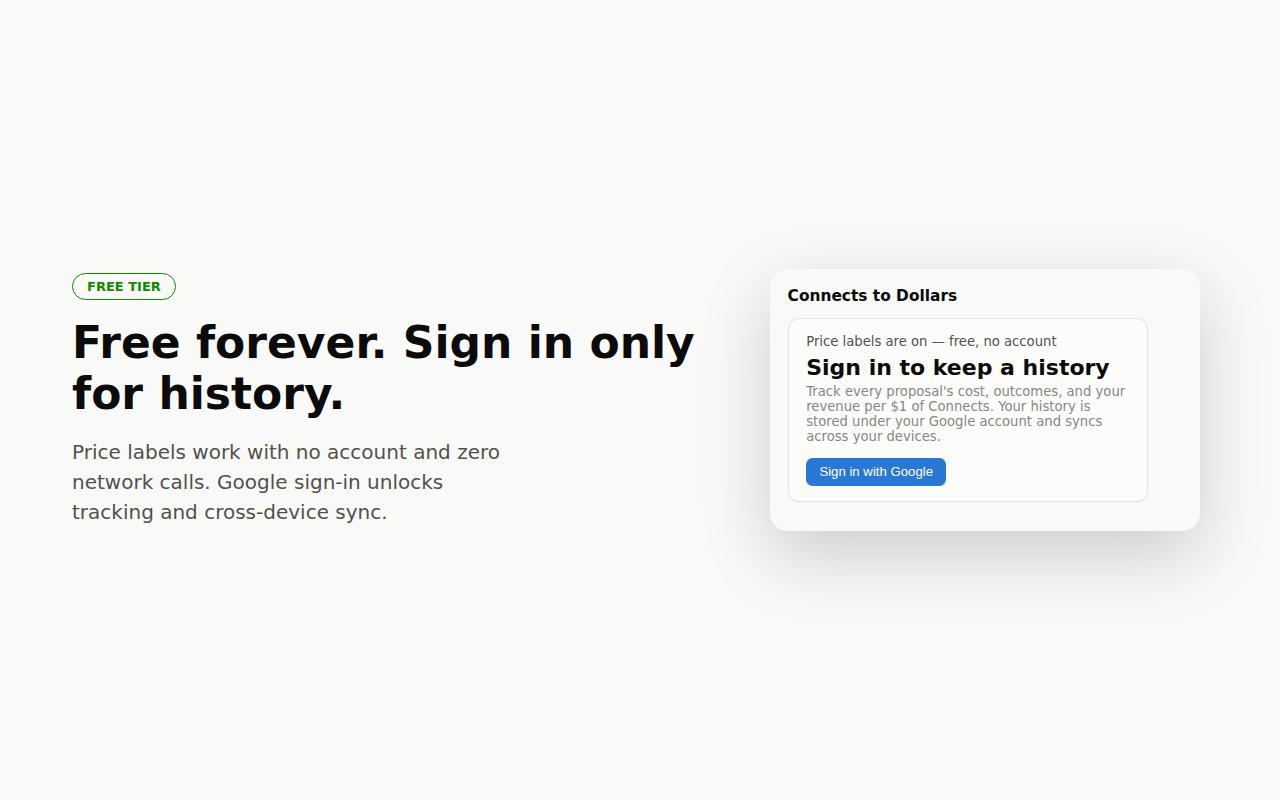
Price labels work with no account and zero network calls. One Google sign-in unlocks proposal tracking, one-click outcomes, client stats on the apply page, and your ROI dashboard — synced across devices, under your own Google account.
No analytics, no tracking, nothing sold — ever. Signed out, the extension makes zero network requests. Signed in, your history lives in your browser and in one private cloud record only your Google account can access. We can't read it, and we never will. Read the full privacy policy.